
Installation
Install specs.md and select your development flow
Prerequisites
- Node.js 18 or higher
- An AI coding tool (Claude Code, Cursor, GitHub Copilot, or Google Antigravity)
Install specs.md
npx specsmd@latest installSelect Your Flow
During installation, you’ll be prompted to select a development flow:
? Select a development flow:
  Simple - Spec generation only (requirements, design, tasks)
❯ FIRE - Adaptive execution, brownfield & monorepo ready
AI-DLC - Full methodology with DDD (comprehensive checkpoints)| Flow | Best For | Agents |
|---|---|---|
| Simple | Quick specs, prototypes, handoff | 1 |
| FIRE | Adaptive execution, brownfield, monorepos | 3 |
| AI-DLC | Full traceability, comprehensive documentation | 4 |
The installer automatically detects your AI coding tools and sets up:
Agent Definitions
Specialized agents for your selected flow
Standards
Project guidelines and conventions
Slash Commands
Easy agent invocation commands
What Gets Installed
After installation, you’ll see the following structure based on your selected flow:
.specsmd/
├── manifest.yaml              # Installation manifest
└── simple/                    # Simple flow
    └── agents/                # Single agent

specs/                         # Your specs will go here
└── (feature folders)
.specsmd/
├── manifest.yaml # Installation manifest
└── fire/ # FIRE flow
├── agents/ # Orchestrator, Planner, Builder
└── skills/ # Agent capabilities
.specs-fire/ # Project artifacts
├── state.yaml # Central state tracking
├── standards/ # Project standards
├── intents/ # Intent documentation
├── runs/ # Run logs
└── walkthroughs/ # Generated documentation.specsmd/
├── manifest.yaml # Installation manifest
└── aidlc/ # AI-DLC flow
├── agents/ # Master, Inception, Construction, Operations
├── skills/ # Agent capabilities
├── templates/ # Artifact templates
└── memory-bank.yaml # Memory bank schema
memory-bank/ # Project artifacts
├── standards/ # Project standards
├── intents/ # Intent documentation
└── bolts/ # Bolt trackingTool-Specific Setup
Slash commands are installed in .claude/commands/. Type / to see available commands:

Simple Flow:
/specsmd-agent
FIRE Flow:
/specsmd-fire/specsmd-fire-planner/specsmd-fire-builder
AI-DLC Flow:
/specsmd-master-agent/specsmd-inception-agent/specsmd-construction-agent/specsmd-operations-agent
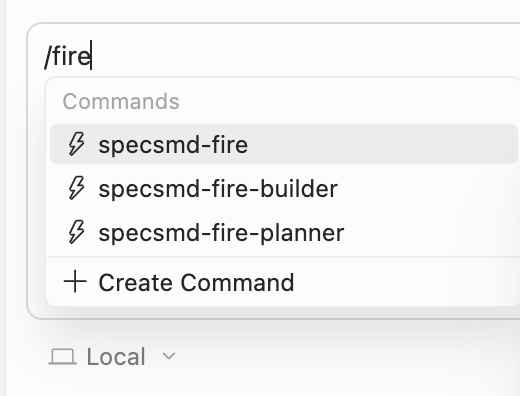
Commands are installed in .cursor/commands/ as .md files. Invoke them by typing / followed by the command name:
Simple Flow:
/specsmd-agent
FIRE Flow:
/specsmd-fire/specsmd-fire-planner/specsmd-fire-builder
AI-DLC Flow:
/specsmd-master-agent/specsmd-inception-agent/specsmd-construction-agent/specsmd-operations-agent
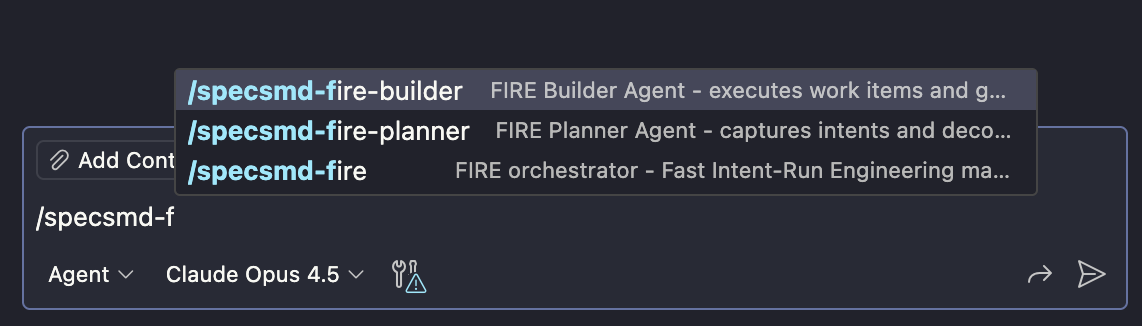
Agents are installed in .github/agents/ using .agent.md format. Type / to see available commands:
Simple Flow:
/specsmd-agent
FIRE Flow:
/specsmd-fire/specsmd-fire-planner/specsmd-fire-builder
AI-DLC Flow:
/specsmd-master-agent/specsmd-inception-agent/specsmd-construction-agent/specsmd-operations-agent
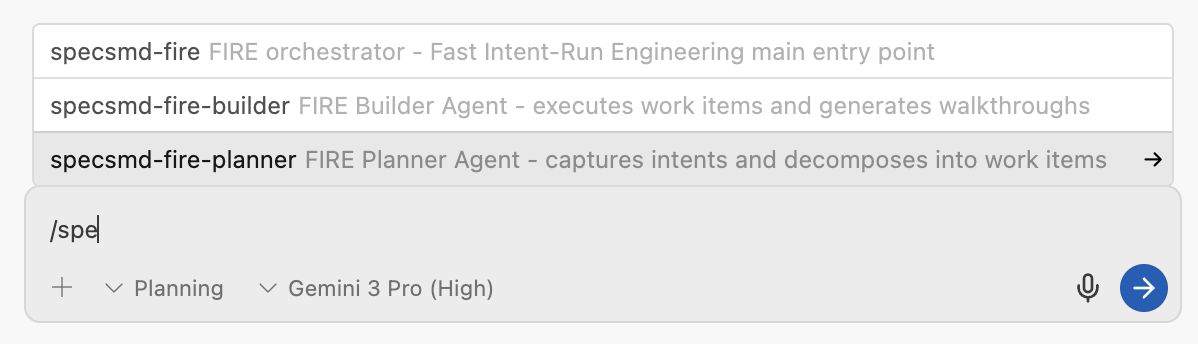
Workflows are installed in .agent/workflows/ as .md files. Type / to see available commands:
Simple Flow:
/specsmd-agent
FIRE Flow:
/specsmd-fire/specsmd-fire-planner/specsmd-fire-builder
AI-DLC Flow:
/specsmd-master-agent/specsmd-inception-agent/specsmd-construction-agent/specsmd-operations-agent